


Posts related to: Web
Reliably Refreshing the WebView2 Control

The WebView2 control lacks a direct Reload(noCache) overload that forces a browser hard reload of the current page. Instead content is loaded with a soft refresh that - hopefully - reloads the current page and its dependencies dependent on WebView environment and server cache policies. In this post we'll look at how to work around this limitation and force a hard refresh in several different ways.
Using the new WebView2 AllowHostInputProcessing Keyboard Mapping Feature
If you've used the WebVIew2 control for a UI interactive Hybrid active you've probably run into some odd keyboard behavior, where some keys cannot be captured properly in the host application or are not forwarded quite the way they normally behave. In the newer releases of the WebView SDK there's a new option called AllowHostInputProcessing that allows for forwarding keyboard events more aggressively to the host which fixes some Windows behaviors and introduces some new issues.
Lazy Loading the Mermaid Diagram Library

The Mermaid library is a large beast, and if you're using it selectively in your Web content you probably want to make sure you don't load it unless you actually need it, due to it's download footprint and load time. If you're loading Mermaid with server only code it's pretty straight forward, but if you use it on the client there you may want to delay loading the library until you actually need to display a diagram.
WebView2: Waiting for Document Loaded

WebBrowser loading is always async and the WebView2 control is no different - in fact it's more complex as there a number of events that need to be handled in order to properly handle loading the control. In this post I describe how you can create a simplified load checking routine, or use the Westwind.WebView library and WebViewHandler to wait on content and process document access using linear await syntax.
Work around the WebView2 NavigateToString() 2mb Size Limit
s-2mb-Size-Limit/StringOfStarsNavigation.jpg)
The WebView2 control's NavigateToString() method has a limit for the string size of 2mb, which can be a problem especially for HTML pages with embedded content. In this post I'll describe how this problem can show up and show a couple of ways to work around the issue.
Caching your WebView Environment to manage multiple WebView2 Controls

I've been struggling with rare WebView initialization errors in one of my applications, that have been difficult to debug and track down. After a lot of trial and error I discovered that the problem is related to WebView Environment instantiations that might be stepping on each other. In this post I describe the problem and a solution that involves creating a single WebView Environment and reusing it for all WebView initialization.
WkHtmlToPdf: Dealing with broken Url Encoded and Extended Character Links
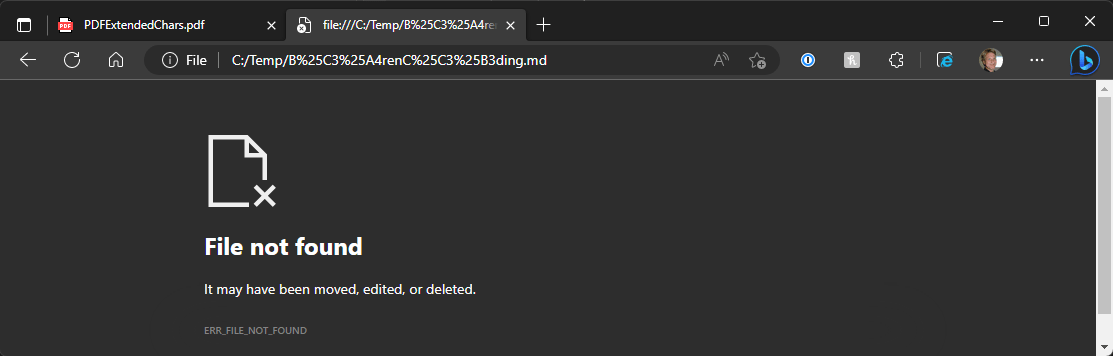
WkHtmlToPdf is a commonly used tool to create PDF documents from HTML files or Urls. Unfortunately it's a bit cranky and one of the problems you can run into is that links that include URL encoding won't work in your output PDF. In this post I describe the problem and a hacky workaround to make broken PDF links work by hacking the HTML file prior to conversion.
HTML Table Cell Overflow Handling

HTML table column wrapping and truncating doesn't work like other HTML elements. Specifically if you want to keep table column content from wrapping via overflow or white-space wrapping settings you'll find that tables just laugh in your face. Here's a quick post that describes table wrapping and text truncation issues and the hacky workaround.
Work around localhost unsecured HTTPS access for Development Sites in Edge

In recent versions of Edge (and Chromium browsers in general) it's getting harder and harder to run development Web sites on localhost, unless you run in https. Certificate setup continues to be a pain in the ass, and it doesn't help that Edge recently decided to no longer allow bypassing of certificate errors. In this post I describe some of the localhost issues and how you can still bypass certificate validation on localhost or go the legit route and install a certificate.
Fighting WebView2 Visibility on Initialization

The WebView2 control has a clever 'feature' that doesn't fully initialize the WebView control if it's not UI visible. While this can save resources in some scenarios it can also make for some very annoying behavior that causes startup timing and flickering issues. In this post I describe a few scenarios where this initial visibility delay loading can cause issues and show a trick you can use to get around it if this 'feature' causes a problem.
Creating a Static Web Content Project for Publishing with WebDeploy

Static content projects are more and more common and if you need to publish directly to an IIS Web Server using WebDeploy is one of the options you have. If you're building .NET projects there are many ways to publish projects from Visual Studio and the dotnet CLI. Unfortunately there currently is no .NET/Visual Studio project type that works out of the box for Static Site content - if you need to use WebDeploy. In this post I discuss how to hack a .NET Web project to work with static content…
West Wind WebSurge 2.0 is here
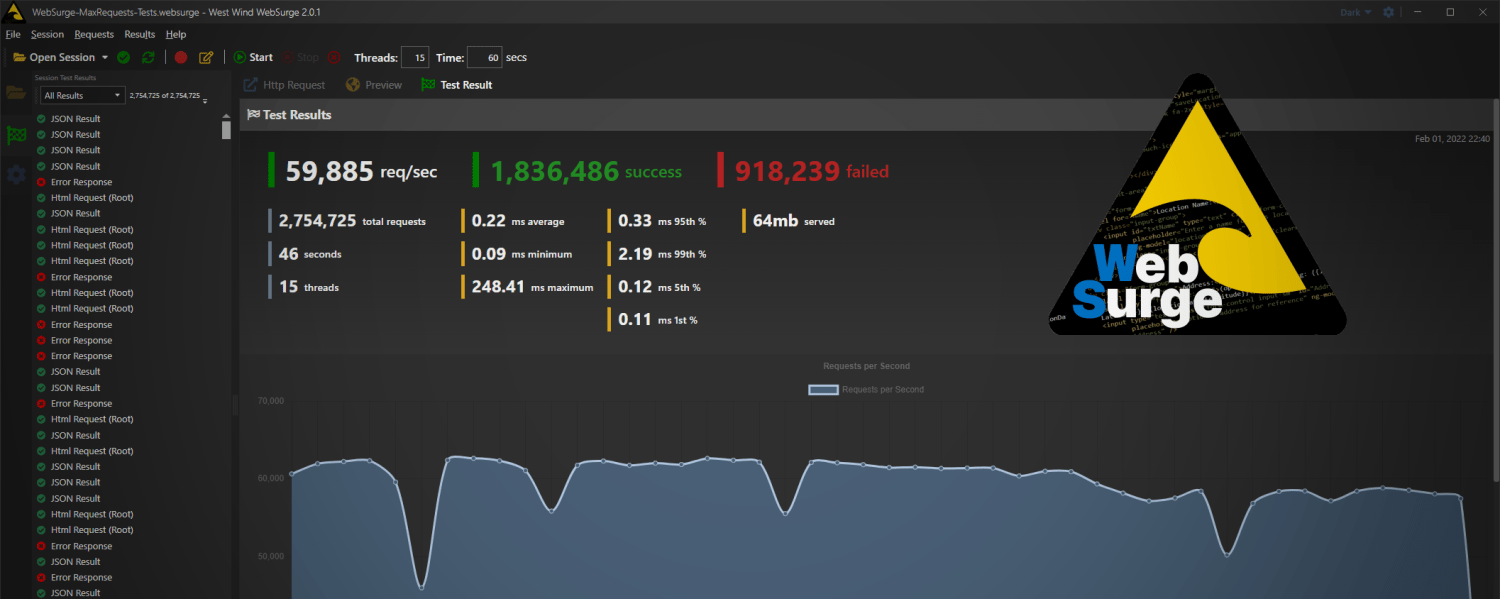
I've just released West Wind WebSurge 2.0. WebSurge is a REST Client and Load Testing tool for Windows and in this post I provide a short overview, a link to a new YouTube Getting Started video, and some background on this release
WebView2 Flashing when changing TabControl Tabs

I've been running into major issues with the WebView control and TabControls in WPF where switching between tabs that contain WebView controls causes a very annoying white flash. In this post I demonstrate the problem and provide an arcane fix that works around this frustrating issue.
Using the WebView control to capture HTTP Request Content

Need to capture requests when navigating the new Edge WebView2 control? The control supports this but the way that you do this is a little less obvious than you might be used to from other browser controls. Here's how to do it.
WebView and Modal Dialogs in WPF Async Code
Another day another problem with the WebView control - this time dealing with certain Windows dialogs crashing the WebView control and making it unresponsive so that the control has to be reloaded or - more commonly the application has to be restarted.