

 Markdown Monster
Posts related to: Security
Protecting File Access in the wwwroot Folder in ASP.NET

ASP.NET Core treats files in wwwroot as public static content, but occasionally applications create files there that should only be available to authorized users. In this post I look at several ways to protect those files and show a small middleware solution that lets selectively access files easily.
Azure Trusted Signing Revisited with Dotnet Sign
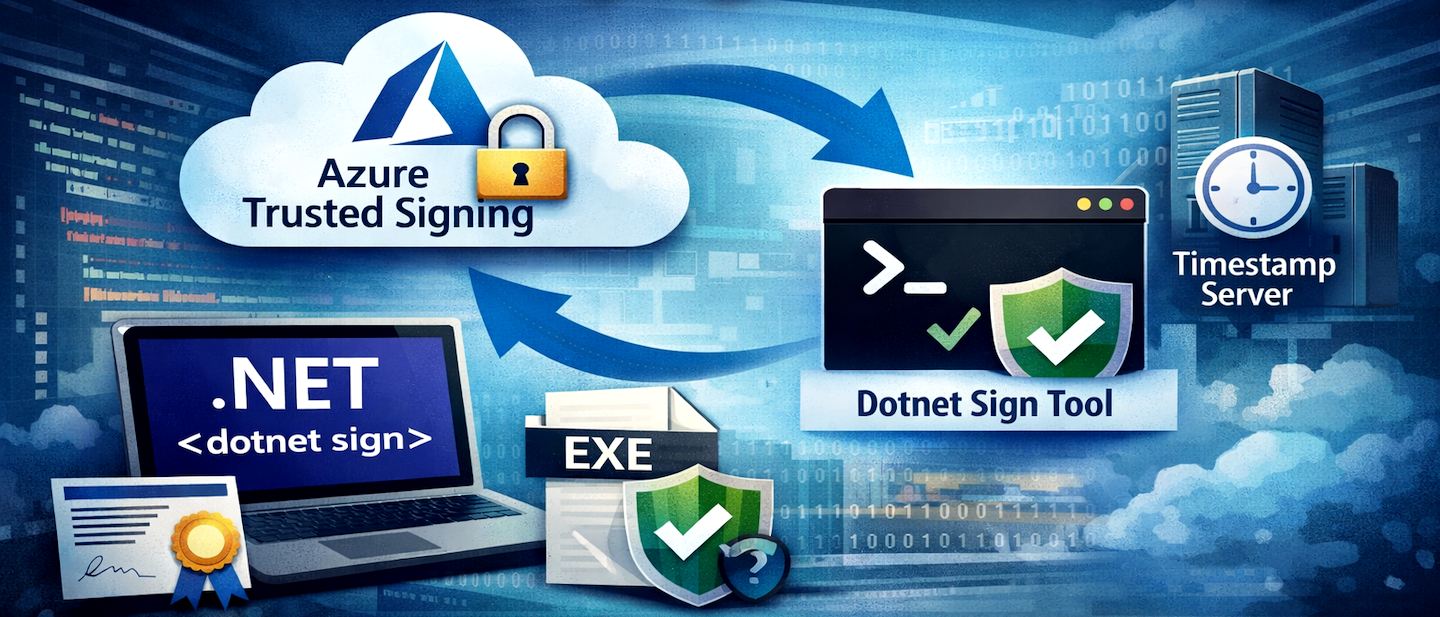
In this follow-up post to my previous guide on Azure Trusted Signing, I explore how the new dotnet sign tool significantly simplifies the code signing process compared to the traditional SignTool workflow. The post identifies dotnet sign using artifact-signing as a faster, more efficient alternative.
Don't use the Microsoft Timestamp Server for Signing
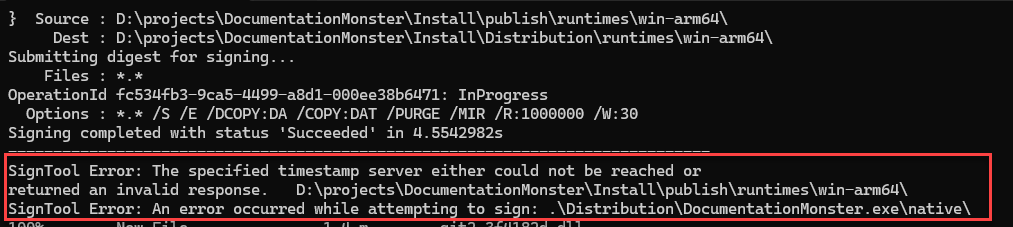
The default Microsoft timestamp server frequently causes intermittent failures during the code-signing process, particularly when processing many files or large binaries as part of a application distribution. These reliability issues can be resolved by replacing the Microsoft timestamp server with a more stable, compatible third-party alternative.
Fighting through Setting up Microsoft Trusted Signing

It's that time of year again to update my CodeSigning certificate, only to find out that the rules have changed since I last did this. Certs now require either a physical hardware key or a online service provides the non-exportable keys to sign binaries along with massive price increases for the privilege. So I decided to give Microsoft's new Trusted CodeSigning service a try, and while that entails all the joy of setting up Azure services, at the and of the day it works and is a considerably…
Implementing Two-Factor Auth using an Authenticator App in ASP.NET

Two factor authentication using Authenticator apps is getting more popular. One advantage of Authenticator 2FA is that you don't need to use a service nor do users have to provide additional bits of personal information. It's easy to implement, doesn't cost anything and also very secure as it uses one-time codes that can't easily be corrupted short of physical take over of a device. In this article I describe how Authenticator based 2FA works in the context of an application without using…
HSTS: Fix automatic re-routing of http:// to https:// on localhost in Web Browsers

If you're doing local Web develop with multiple development tools you've probably run into a problem where you end up not being able to access a local site via unsecured http:// requests and automatically get redirected to https:// no matter what you try. If you don't have a certificate set up for the site you may not even be able to access the site at all. Turns out this usually is due to HSTS which is a nasty little bugger of a security protocol that is applied universally to a domain…
Combining Bearer Token and Cookie Authentication in ASP.NET

In some situations you might need to use both Bearer Token and Cookie Authentication in a single application. In this post I look at a few scenarios where this is required and show how to configure your Authentication to let you access your site with either authentication scheme.
Role based JWT Tokens in ASP.NET Core APIs

ASP.NET Core Authentication and Authorization continues to be the most filddly part of the ASP.NET Core eco system and today I ran into a problem to properly configure JWT Tokens with Roles. As I had a hard time finding the information I needed in one place and instead ended up with some outdated information, I'm writing up a post to hopefully put all the basic bits into this single post.
Markdown and Cross Site Scripting

I've been getting a number of requests for providing XSS support in my various Markdown components. While Markdown itself makes no provision for HTML Sanitation, if you use Markdown for capturing user input some sort of sanitation is required to avoid potential XSS attacks. In this post I look at XSS scenarios and show how the Westwind.AspnetCore.Markdown package deals with removing script tags from rendered Markdown content.
Code Magazine Article: Securing IIS Web Sites with Let’s Encrypt Certificates

Lets Encrypt makes it very easy to create free TLS certificates for your Web site. In this CODE magazine article Rick reviews some of the history of Lets Encrypt and then shows how you can easily take advantage of it to create free and automatically installed and updated certificates for your Windows based IIS Web servers.
Configuring LetsEncrypt for ASP.NET Core and IIS

LetsEncrypt makes it easy to create SSL certificates for your applications for free and lets you automate the process. When using LetsEncrypt with IIS and ASP.NET Core however a few extra steps are required to make an ASP.NET Core site work with LetsEncrypt. I show you how in this post.
Dealing with Anti-Virus False Positives
I've been struggling with false positive Anti-Virus warnings for Markdown Monster. In this post I describe what problems I was running into and how eventually managed to get a clean distribution of Markdown Monster out the door.
ASP.NET Core and CORS Gotchas

CORS is a requirement for cross domain XHR calls, and when you use Angular 2.0 default dev server and talk to an ASP.NET Core application you'll need to use CORS to get XHR to talk across the domain boundaries. Here's how to set up CORS and how to test it.
Moving to Lets Encrypt SSL Certificates
This week marks the expiration of my last paid for SSL certificates and moving all certificates to Lets Encrypt. In the process I had a chance to moving some of my smaller personal and hobby sites as well as moving my wildcard cert for the main site. In this post I'll describe the process I'll describe what tools I used and the process I went through to gradually move my sites over to Lets Encrypt.
Use Powershell to bind SSL Certificates to an IIS Host Header Site
Managing SSL certificates on Windows has always been a pain in the ass and recently with the introduction of SNI to support multiple SSL certificates per site things have changed slightly in order to register certificates with IIS programmatically. In this post I show how to use PowerShell and the IIS WebAdministration snap in commands to create or import and register an SSL Certificate via the Command Line along with how this convoluted process works