

 Markdown Monster
Don't use the Microsoft Timestamp Server for Signing
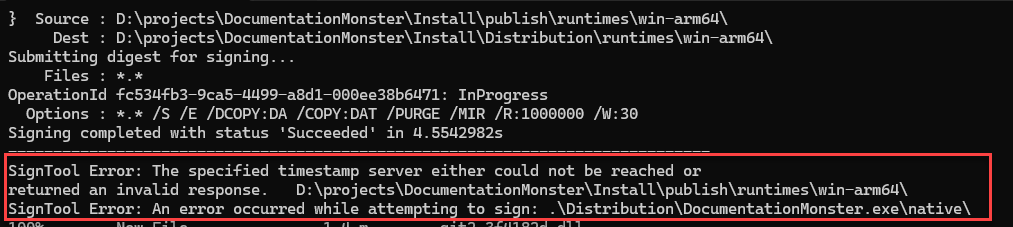
If you're using any of the Microsoft Signing technologies like Trusted Signing, one thing you might run into is frequent failures of the default, suggested timestamp server that Microsoft uses in their examples:
$timeServer = "http://timestamp.acs.microsoft.com"
For signing code with trusted signing like this:
$timeServer = "http://timestamp.acs.microsoft.com"

$args = @(
    "sign", "/v", "/debug", "/fd", "SHA256",
    "/tr", "$timeServer",
    "/td", "SHA256",
    "/dlib", "$env:LOCALAPPDATA\Microsoft\MicrosoftTrustedSigningClientTools\Azure.CodeSigning.Dlib.dll",
    "/dmdf", ".\SignfileMetadata.json"
)
# Add non-empty file arguments
foreach ($f in @($file, $file1, $file2, $file3, $file4, $file5, $file6, $file7)) {
    if (![string]::IsNullOrWhiteSpace($f)) {
        $args += $f
    }
}

# Run signtool and capture the exit code
.\signtool.exe $args
This works about 80% of the time for me in my multiple file signing workflow - yeah that's a pretty high failure rate! I end up signing 8 files per distribution (several app binaries and the final setup Exe) and quite frequently one of those signing operations (mostly the last one of the larger set up exe) fails with:
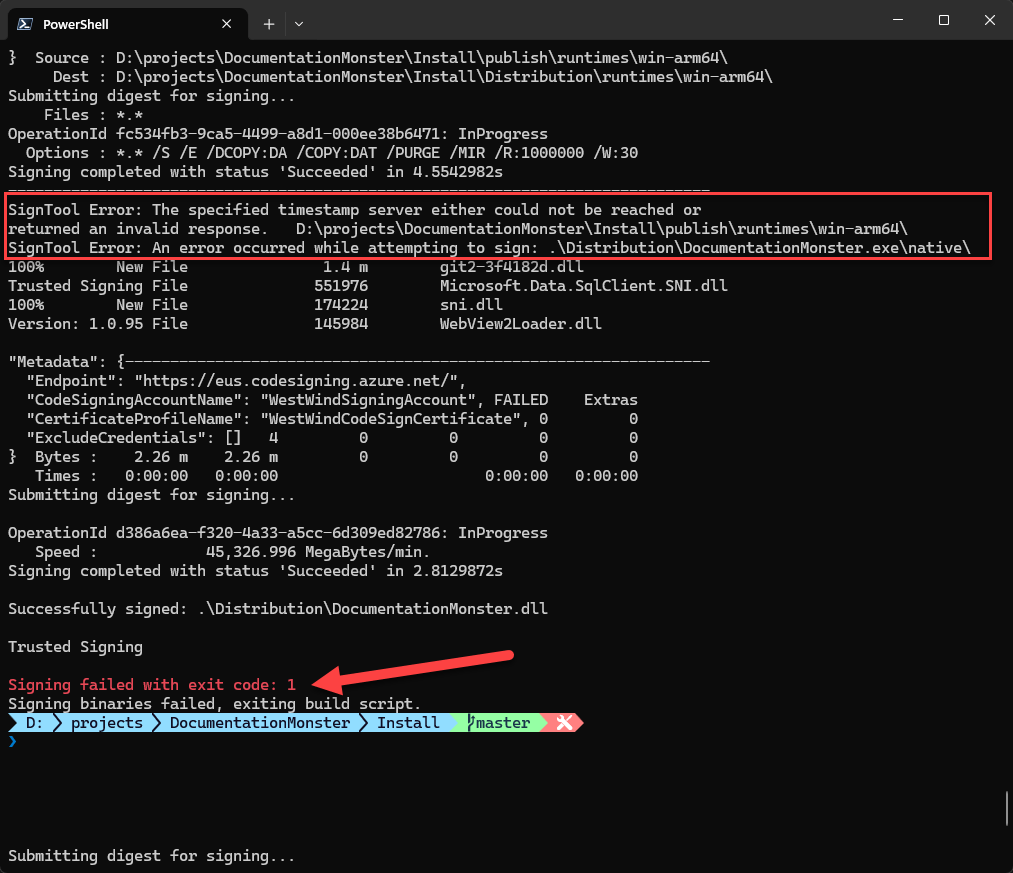
Figure 1 - Signing fails due to the Microsoft Timestamp Server
I see this happening in two separate but similar workflows both of which are signing a number of files in fairly rapid succession. I'm using Signtool to batch the files to sign, but it appears Signtool behind the scenes is still sending them one at a time - and that might be where the problem is - some sort of rate limiting kicking depending on how quick these files sign.
Regardless, whether it's an infra failure or a rate limiting issue, it's crazy to think that something as simple as a timestamp server could fail in a common scenario like this, but leave it to Microsoft to screw that up. 💩
Use a different TimeStamp Server
The solution to this is simple: Don't use the Microsoft server and instead switch to a different signing compatible Timestamp Server that is actually reliable.
I've been using DigiCert's server with this Url:
$timeServer = "http://timestamp.digicert.com"
and that has solved the problem for me at the moment. No more signing errors.
Resources
Alternate Timestamp Servers
DigiCert
http://timestamp.digicert.comhttp://timestamp.digicert.com/ts(alt endpoint)
Sectigo (Comodo)
http://timestamp.sectigo.comhttp://timestamp.comodoca.com/rfc3161
GlobalSign
http://timestamp.globalsign.com/?signature=sha2
SSL.com
http://ts.ssl.comhttp://ts.ssl.com/rfc3161
Entrust
http://timestamp.entrust.net/TSS/RFC3161sha2TS
Certum (Asseco)
http://time.certum.pl
 this post created and published with the
Markdown Monster Editor
this post created and published with the
Markdown Monster Editor

Other Posts you might also like
The Voices of Reason

# re: Don't use the Microsoft Timestamp Server for Signing
Heh, it seems to be on par with how Microsoft is today.

# re: Don't use the Microsoft Timestamp Server for Signing
@Ralph - I'm using SignTool with multiple files in a single call. But there are two calls - one to sign the included binaries and one to sign the final setup binary. The way it looks though - SignTool is sending each request separately. Rate limiting on a timestamp server would be beyond dumb if that's the case at least for the amount of requests that are being made.

# re: Don't use the Microsoft Timestamp Server for Signing
Timestamping failures have been a long term issue. I work around this by separating signing and timestamping operations, and use a list of timestamp servers and retry with a different server if timestamping fails. I occasionally change or re-order the list when one ts server becomes unreliable.
# re: Don't use the Microsoft Timestamp Server for Signing
We are using Azure Key Vault signing with the dotnet sign tool and for us I can say the MS acs endpoint is reliable to ship a few releases every day.
Do you sign every single file in a separate call? (rate limiting?)
Our single CLI command: