


Protecting File Access in the wwwroot Folder in ASP.NET
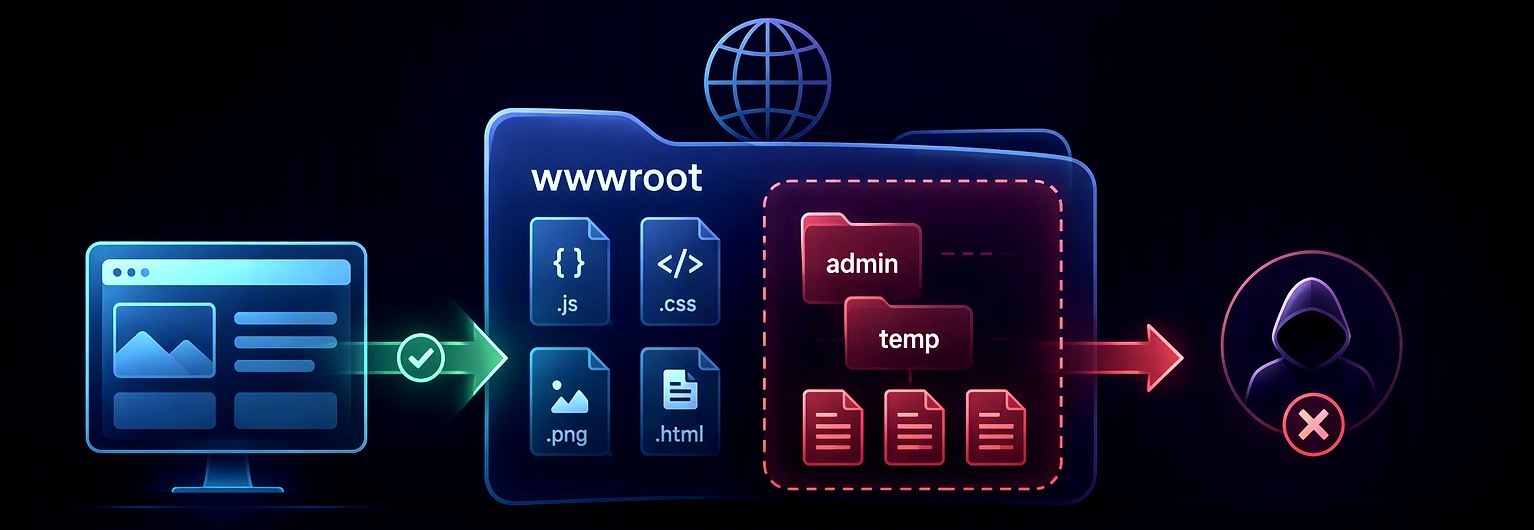
In many of my Web applications I have a few files that are dynamically created as part of administrative tasks. These files tend to be cumulative and contain data that can be accessed directly from the file system. But... they are in effect static files, but they shouldn't be accessible by just anybody. They should still respect authentication rules.
For example, in several small apps I write application error logs into /wwwroot/admin/temp. In another application that does occasional order processing, I track processing errors in files in a similar manner.
But again - these files can potentially contain sensitive information so they shouldn't be accessible by just any user, but only by logged in Admin users or whatever elevated group of users has access to that type of information.

What exactly does wwwroot do?
The wwwroot folder in your project is the 'static files' folder for your ASP.NET Web application. As the name suggests it assumes static content that doesn't change.
wwwroot is a ASP.NET Project Thang
The way it works is that in your ASP.NET projects anything that you store in the wwwroot folder is mapped into the Web root of the published Web site so that a /wwwroot/somefile.html file maps to /somefile.html on your published Web site.
It's also possible to publish sites into subfolders or virtual folders/sites/applications (on IIS) in which case wwwroot maps to /subfolder/somefile.html.
The key here is that by default (if you don't mess with the property publish settings) all files in the wwwroot folder are published to the Web root on the publish site.
Static File Middleware
In order for static files to be actually served by ASP.NET you need to add the StaticFiles middleware in your app's startup code in program.cs:
app.UseStaticFiles()
The middleware handles the actual semantics of translating paths into static files, and also provides a host of features like virtualization of file providers, content compression and caching.
By default everything in the wwwroot folder is published and then served as public by the middleware and directly accessible by anybody browsing your site. ASP.NET doesn't restrict access to static content by default.
In most cases that's exactly what you want. Static content mostly consists of support resources for your project:
- Images
- CSS
- JavaScript
- Static Html
- Media content
- Downloadable files
and in most cases that content should be directly accessible without any authentication or other restrictions beyond site level security.
The static file middleware is not limited to what you publish in your wwwroot folder. Anything else you manually copy into the Web Root folder or dynamically create and then store there is also accessible. The default file provider points at a folder and serves all files in and below that folder.
Static Files Middleware can do More!
The default use case for the static files middleware is to serve root Web folder content from published
wwwrootoutput, but you can use this middleware for many different scenarios by using alternate or customized the file providers (IFileProvider). For starters, you can point at a different folder thanwwwrootor point at multiple folders to serve static files from, which is particularly useful for serving application specific resources that are stored separately from the Web app.There are several different types of file stores that can be used to serve files from Resources, Azure etc. and you can implement your own
IFileProviderimplementations that serve from different sources.
Protecting Folders or Files in wwwroot
But... in some cases you do need to protect dynamically created files that are served as static content. Technically that's not static content, since it was generated, but it lives in the scope of the Static File middleware.
There's no 'built-in' way to secure static files served from the StaticFile middleware. If the middleware fires, the files get served.
So in order to limit access a separate approach is required that explicitly prohibits access to specific paths.
There are a few ways to do this, none of them particularly clean:
Move files outside of
wwwroot
One thing that can be done is move files out of wwwroot and then explicitly have endpoints that either map individual files or wildcard catch-all routes for files.Use endpoint-routing with Catch All route You can send minimal API routes or controller routes with catch-all route parameters (
{*path}or{**path}) that give you the remaining path of the Url.Use custom middleware Similarly you can create a generic Middleware handler that looks at all requests and explicitly filter out requests.
StaticFileOptions.OnPrepareResponse is sometimes suggested for this job, but I don't like it as an authorization boundary. That callback runs after the static-file middleware has already selected a file and prepared the response. It's useful for setting headers, but rejecting the request before static-file processing is easier to reason about.
There are other approaches I've seen suggested using custom Authorization policies and complex routing setups, but that all seems insanely complex for what is essentially a relatively simple task.
The simplest thing seems to be, intercepting the request either with a generic middleware handler, or a catch all route. Both of these use essentially the same concept of looking at the Url and deciding whether requests can go through or not - and if not forcing a login (or at least a 401 result).
My personal preference is the custom middleware which I'll describe below.
Use Custom Middleware
For an existing application that already writes files below wwwroot, the least disruptive solution is often a small generic middleware handler that examines the request path and explicitly rejects requests that aren't authorized.
Here's the relevant part of my application setup which requires authentication for any file requests comes out of an /admin folder:
app.UseRouting();

// Authentication has to run before checking ctx.User
app.UseAuthentication();

// Protect everything below /admin, including static files
// has to run before the static files middleware
app.Use(async (ctx, next) =>
{
    if (ctx.Request.Path.StartsWithSegments(
            "/admin", StringComparison.OrdinalIgnoreCase))
    {
        if (ctx.User.Identity?.IsAuthenticated != true)
        {
            ctx.Response.StatusCode = StatusCodes.Status401Unauthorized;
            await ctx.Response.WriteAsync("401 Unauthorized");
            return;
        }

        // Retrieve application user state from claims and validate access
        var userState = UserState.CreateUserState<WebStoreAppUserState>(ctx);
        if (!userState.IsAdmin)
        {
            ctx.Response.StatusCode = StatusCodes.Status403Forbidden;
            await ctx.Response.WriteAsync("403 Forbidden");
            return;
        }
    }

    await next();
});

// Static files are served only after the /admin check
app.UseStaticFiles();

app.UseAuthorization();
The two return statements are important: denied requests must short-circuit the middleware pipeline. Setting a status code and then calling next() still allows the static-file middleware to process the request.
I'm using application-specific UserState code here, but you can replace that check with ctx.User.IsInRole("Admin"), a claim check, or whatever authorization logic your application uses.
StartsWithSegments() also matters. A string test such as Contains("/admin/") can match unintended URLs and misses the exact /admin path. Segment matching clearly scopes the check to /admin and everything below it.
Finally, middleware order is critical:
UseAuthentication()has to run before the custom check so thatctx.Useris available for my check scenario.- The custom check has to run before
UseStaticFiles()so a rejected request never reaches static-file handling. - If a front-end Web server serves the file directly, none of this code runs. More on that shortly.
Why MapGet() Doesn't Intercept the File
A similar approach is to use minimal APIs or a controller endpoint with a catch-all route. For minimal APIs you can use a catch-all MapGet() handler such as app.MapGet("/admin/{**path}").
Single vs Double Asterisk Catch-All Parameters
Catch-all routing parameters can use either one or two asterisks:
{*path}or{**path}. Both match the remaining part of a URL, including slashes and other characters, and can also match an empty string.The single-asterisk version URL-encodes forward slashes when generating a URL, while the double-asterisk version preserves them.
Unfortunately, in my application, which uses controller routing and static-file middleware, the MapGet() handler never fired for an existing static file.
The following did not intercept the request:
app.MapGet("/admin/{**path}", async (HttpContext ctx, string path) =>
{
  return "Path: " + path;
});

app.UseStaticFiles();
app.UseRouting();
This isn't really a route-priority problem. Static-file middleware handles a matching file and short-circuits the pipeline before the mapped endpoint executes. Moving declarations around in a Minimal API application's compact startup code can make this behavior less than obvious because route registration and middleware execution aren't the same thing.
You can make endpoint routing work by explicitly arranging the pipeline, or by having the endpoint serve the file itself. But for guarding an existing UseStaticFiles() setup, I find the slightly lower-level app.Use() handler more obvious and unambiguous.
In .NET 9 and later, MapStaticAssets() exposes static assets as endpoints and authorization metadata can be attached to those endpoints. That's useful for build-time application assets, but my files are generated at runtime and only one folder needs protection, so the small middleware check remains a better fit here.
But given the possibility of routing conflicts with .MapGet() or even an explicit route, I'm weary of using that in the future and just opt for the simpler solution of using a generic middleware handler with app.Use() as shown above. It's clear and straight forward and there's no second guessing on when it fires other than pipeline order.
Watch out for your Hosting Platform
Here's another gotcha you may have to watch for:
If you're running your ASP.NET Core application behind a Web server proxy, be aware that the server may be configured to serve static resources directly, effectively bypassing ASP.NET Core processing entirely!
Many of my Web applications still run on a self-hosted IIS VPSs.
In all of my IIS hosted apps I forward most common static file types directly through IIS because it's considerably faster than running them through the ASP.NET Core pipeline, and IIS provides automatic and highly efficient compression for text-based files:
<?xml version="1.0" encoding="utf-8"?>
<configuration>
	<location path="." inheritInChildApplications="false">
		<system.webServer>
            <handlers>
                <!-- Watch out for this one if you're protecting HTML files! -->
                <add name="StaticFileModuleHtml" path="*.htm*" verb="*" modules="StaticFileModule" resourceType="File" requireAccess="Read" />

				<add name="StaticFileModuleSvg" path="*.svg" verb="*" modules="StaticFileModule" resourceType="File" requireAccess="Read" />
				<add name="StaticFileModuleJs" path="*.js" verb="*" modules="StaticFileModule" resourceType="File" requireAccess="Read" />
				<add name="StaticFileModuleCss" path="*.css" verb="*" modules="StaticFileModule" resourceType="File" requireAccess="Read" />
				<add name="StaticFileModuleJpeg" path="*.jpeg" verb="*" modules="StaticFileModule" resourceType="File" requireAccess="Read" />
				<add name="StaticFileModuleJpg" path="*.jpg" verb="*" modules="StaticFileModule" resourceType="File" requireAccess="Read" />
				<add name="StaticFileModulePng" path="*.png" verb="*" modules="StaticFileModule" resourceType="File" requireAccess="Read" />
				<add name="StaticFileModuleGif" path="*.gif" verb="*" modules="StaticFileModule" resourceType="File" requireAccess="Read" />
				<add name="StaticFileModuleWoff2" path="*.woff2" verb="*" modules="StaticFileModule" resourceType="File" requireAccess="Read" />
				<add name="StaticFileModuleWoff" path="*.woff" verb="*" modules="StaticFileModule" resourceType="File" requireAccess="Read" />

				<!-- Everything else goes into Kestrel -->
				<add name="aspNetCore" path="*" verb="*" modules="AspNetCoreModuleV2" resourceType="Unspecified" />
			</handlers>
		</system.webServer>
	</location>
</configuration>
If you do this and have a mapping for an affected extension (like *.htm* in this case for example), IIS serves the matching file without forwarding the request to Kestrel. Your entire ASP.NET Core pipeline, including authentication and the low-level middleware check, never fires. Everything discussed above is completely bypassed.
In my case this doesn't matter because the files I'm concerned about tend to use .txt or .log extensions, which I don't forward through IIS. But if you need to protect HTML documents, for example, you have to remove the path="*.htm*" handler so those requests reach ASP.NET Core and the authorization check can fire or add a special <location> sub-section that explicitly excludes the files from IIS processing.
On the flip side it's also possible to explicitly set file or folder permissions to block access to files using
<location>element. However, the auth mechanism used is then outside of the ASP.NET application (Windows Auth?) which is at best... hokey. But for a quick fix if you find out you have a file that needs protecting immediately, that might do the trick.
The same warning applies to CDNs, reverse proxies and container ingress configurations that can serve files without reaching the application. Always test the request through the actual production hosting path, not just against local debug environment which always hits Kestrel.

Summary
By default, ASP.NET Core serves all content within the wwwroot directory as public static assets without authorization checks. When applications write sensitive or dynamically generated files (such as error logs or admin reports) into wwwroot, access needs to be restricted.
The most straightforward approach described in this post, is to insert a lightweight custom middleware into the pipeline to explicitly reject requests that are not authenticated. In order to do this it's important to get the order of middleware right so that the checks occur before static files are served but after authentication has provided the necessary user context to decide whether requests can proceed or not.
Officially there are quite a few approaches that can be used but personally I prefer this much more simple and explicit approach to using code to examine path and auth to accept or reject requests, vs complex authorization policies or complex routing order schemes that are often mentioned.
Resources
- Serve static files in ASP.NET Core apps
- Running ASP.NET Core Applications as a Subfolder Application
 this post was created and published with the
Markdown Monster Editor
this post was created and published with the
Markdown Monster Editor